
writer by Sanjoy gorh
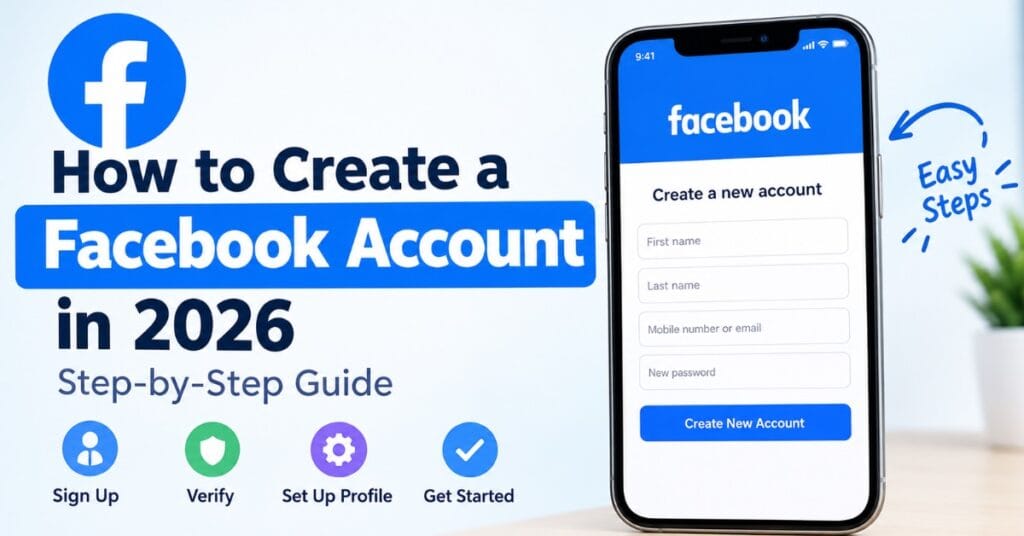
Want to join Facebook but aren’t sure where to start? Creating a Facebook account in 2026 is straightforward. You can sign up using the Facebook website or mobile app, provide your basic information, verify your account, and then complete your profile.
This guide explains how to create a Facebook account in 2026 step by step, including what you need before signing up, how verification works, and answers to common questions about multiple accounts, Gmail, phone numbers, and Facebook Pages.
What You Need to Create a Facebook Account
Before you start the Facebook signup process, make sure you have:
- A valid email address or mobile phone number
- Your name and basic personal information
- A secure password
- A device with an internet connection
- Access to your email or phone for verification, if Facebook requests it
If you’re creating an account for yourself, use accurate information and follow Facebook’s current account requirements.
How to Create a Facebook Account in 2026
Follow these steps to create your new Facebook account.
1. Open Facebook
Go to Facebook using your web browser or open the Facebook app on your smartphone.
Look for the option to create a new account. On the website, this is generally presented as a Create new account or similar signup option.
2. Enter Your Name
Facebook will ask for your name during registration.
Enter the name you normally use. Avoid using misleading information or pretending to be another person, as this can cause problems with your account later.
3. Add Your Date of Birth
Enter your date of birth when prompted.
Facebook uses age information as part of its account and safety requirements. Make sure the information you provide is accurate.
4. Choose Your Gender
Select the option that best describes you, or choose the available option that you prefer.
The exact choices and wording can change as Facebook updates its signup process.
5. Add Your Mobile Number or Email Address
Facebook may allow you to register using a mobile phone number or email address.
If you prefer to use Gmail, you can enter your Gmail address as your email during signup. You don’t need a separate Facebook-specific email address.
Make sure you can access the email account or phone number because Facebook may use it to verify your registration.
6. Create a Strong Password
Choose a password that is difficult for other people to guess.
Don’t reuse a password that you already use for important accounts such as your email or banking services. A unique password provides better protection for your new Facebook account.
7. Submit Your Registration
Review the information you entered and submit the signup form.
Facebook may ask you to complete an additional verification or security step before your account is created.
8. Verify Your Account
If Facebook sends a verification code to your email address or phone number, enter the code when requested.
If you don’t receive the code, check your spam or junk email folder and make sure the phone number or email address you entered is correct.
How to Create a Facebook Account on Your Phone
You can also create a Facebook account through the mobile app.
Install the official Facebook app on your Android or iPhone, open it, and choose the option to create a new account. Follow the registration prompts to enter your name, birthday, contact information, and password.
The exact appearance of the app can vary depending on your device, app version, and region.
Can I Create a Facebook Account With Gmail?
Yes, a Gmail address can be used as your email address during Facebook registration.
When Facebook asks for your contact information, enter your Gmail address and complete the verification process if one is requested.
Using Gmail doesn’t create a special type of Facebook account. It simply provides an email address that Facebook can use for registration, login, and account-related communication.
Can I Create a Second Personal Facebook Account?
This is an important distinction.
Facebook’s rules and account options can change, so you should check the current Meta/Facebook requirements before creating another personal account. If you want a separate presence for a business, organization, creator activity, or community, a Facebook Page may be more appropriate than creating another personal profile.
Don’t create additional accounts simply to evade restrictions or enforcement on an existing account.
How to Create a New Facebook Page
A Facebook Page is different from a personal Facebook profile.
If your goal is to represent a business, brand, public figure, organization, or community, you can create a Page from within Facebook and provide details such as:
- Page name
- Category
- Description
- Profile image
- Cover image
- Contact information
After creating the Page, you can customize it and publish posts for your audience.
Can I Have Two Facebook Accounts With the Same Phone Number?
Whether the same phone number can be used across accounts can depend on Facebook’s current registration and account policies.
If you’re trying to establish a separate presence for a business or project, consider whether a Facebook Page is the better solution rather than creating another personal account.
Avoid repeatedly creating accounts simply to bypass Facebook’s security systems or restrictions.
How to Check When Your Facebook Account Was Created
If you want to find out when your Facebook account was created, you may be able to find relevant information through your account information, activity history, or downloaded Facebook data.
The location of these options can change as Facebook updates its settings.
Another useful clue is your earliest Facebook activity, such as your oldest available post, photo, or account-related record. However, your earliest visible activity isn’t necessarily an exact confirmation of the date your account was created.
How Old Does Someone Have to Be to Use Facebook?
Facebook has age requirements for users, and these requirements are important when creating an account for yourself or someone else.
Because age policies and regional requirements can change, check Facebook’s current official rules before registering an account for a child or teenager.
Never enter a false birth date to get around an age restriction.
Common Facebook Signup Problems
Sometimes the registration process doesn’t work as expected. Here are a few things to check.
You Didn’t Receive a Verification Code
Check your spam or junk folder if you’re using email. If you’re using a phone number, make sure the number and country information are correct.
You can also wait a little before requesting another code.
Facebook Won’t Accept Your Information
Review every field carefully and make sure your information follows Facebook’s current registration requirements.
If Facebook specifically displays an error message, follow the instructions shown on the screen.
You Can’t Access Your Email or Phone
If you no longer have access to the email address or phone number associated with the registration, use Facebook’s available account recovery or support options rather than repeatedly creating new accounts.
Frequently Asked Questions
How do I create a new Facebook account?
Open Facebook, select the option to create a new account, enter your personal information, add an email address or phone number, create a password, and complete any verification Facebook requests.
Can I use Gmail to create Facebook?
Yes. You can generally use a Gmail address as the email address for Facebook registration, subject to Facebook’s current signup requirements.
Can I create Facebook without a phone number?
Facebook’s available registration methods can change. If the signup screen offers email registration, you may be able to use an email address instead of a phone number.
How long does it take to create a Facebook account?
The registration itself usually takes only a few minutes if you have your information and verification method ready. Additional security or verification steps may take longer.
Is Facebook free to create?
Creating a standard Facebook account does not normally require a subscription fee. However, certain optional products, advertising features, or services may have their own costs.
Final Thoughts
Creating a Facebook account in 2026 is a simple process when you have a valid email address or phone number and follow Facebook’s current signup requirements.
Start by opening Facebook, select Create new account, enter your information, create a strong password, and complete any verification steps. Once your account is ready, you can personalize your profile and connect with friends, communities, Pages, and other content.
If your goal is to represent a business, brand, or organization, consider creating a Facebook Page instead of using a second personal profile.