Last Updated: June 2026 | Reading Time: 7 min | Target: US Small Business Owners
Running a small business in America in 2026 is faster, leaner, and smarter than ever but only if you’re using the right tools. The good news? You don’t need a $10,000/month enterprise contract to compete with bigger companies. The best free AI tools available right now can save you 10+ hours a week, cut costs, and help you punch far above your weight.
This guide covers the 10 best free AI tools for small business owners in the USA tested, ranked, and explained in plain English. No tech degree needed. No credit card required to get started.
Why Small Businesses in the USA Are Turning to AI in 2026
The numbers don’t lie. According to recent industry data, over 50% of US small businesses now use at least one AI tool in their daily operations. The gap between businesses using AI and those that aren’t has become measurable in time saved, money cut, and customers served.
The biggest shift in 2026? Free tiers have gotten genuinely useful. Tools that once required a paid plan to do anything meaningful now let you run real business workflows at $0/month.
Whether you’re a solo freelancer in Austin, a bakery owner in Ohio, or a two-person agency in New York these tools were built for you.
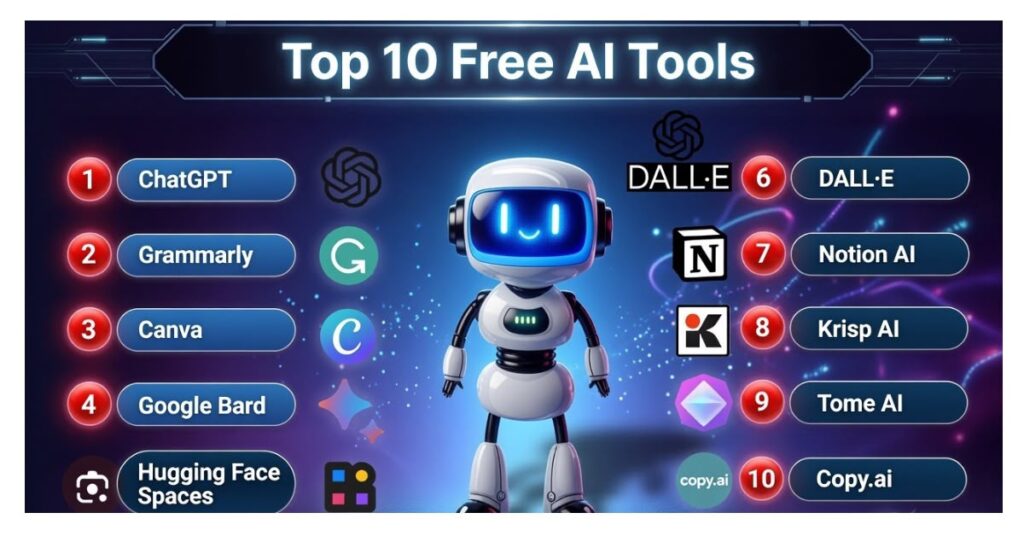
The 10 Best Free AI Tools for Small Business (USA, 2026)
1. ChatGPT (OpenAI) — Best All-in-One AI Assistant
Free tier: GPT-4o access with daily limits, image upload, memory, GPT store access
ChatGPT is the Swiss Army knife of small business AI. You can use it to write emails, create social media captions, draft proposals, analyze data, brainstorm marketing ideas, and even generate product images all in one place.
For US small business owners who need one tool that does everything competently, ChatGPT’s free tier is the strongest starting point. The free plan gives you access to GPT-4o (with usage limits), which handles 90% of everyday business tasks.
Best for: Content writing, customer emails, research, brainstorming
Free limit: Daily message cap; resets every 24 hours
Upgrade cost: $20/month for ChatGPT Plus
2. Claude (Anthropic) — Best for Writing & Document Analysis
Free tier: Long-context conversations, document uploads, strong writing quality
Claude is the quiet powerhouse that US business owners are discovering fast in 2026. Where ChatGPT is a versatile generalist, Claude excels at nuanced, long-form writing contracts, proposals, reports, and detailed emails that need to sound professional and human.
One major advantage for privacy-conscious business owners: Claude does not train on free-tier conversations by default, which matters when you’re drafting sensitive business documents.
Best for: Business proposals, contract review, long-form writing, document analysis
Free limit: Moderate daily usage
Upgrade cost: $20/month for Claude Pro
3. Canva AI — Best Free Design Tool
Free tier: Magic Write (text generation), Magic Design (template creation), Background Remover, thousands of AI-enhanced templates
Hiring a graphic designer for every flyer, social post, or presentation isn’t realistic for most small businesses. Canva’s free plan has evolved dramatically in 2026, with AI features that do the heavy lifting.
Type what you need, and Magic Design generates a branded template in seconds. Background Remover works in one click. For US small businesses that need consistent, professional visuals without a design budget, Canva’s free tier saves hundreds of dollars every month.
Best for: Social media graphics, flyers, presentations, product mockups
Free limit: Limited AI credits per month, watermark-free exports
Upgrade cost: $15/month for Canva Pro (unlocks unlimited AI features)
4. Grammarly — Best for Professional Writing Quality
Free tier: Grammar checking, tone suggestions, clarity improvements, browser extension
First impressions in business live and die on written communication. A typo in a client email or a clunky proposal can cost you the deal. Grammarly’s free AI layer runs quietly in the background in your Gmail, Google Docs, and browser and catches errors before they reach clients.
Studies show users improve their writing quality by 30% with consistent Grammarly use. For small businesses without an editor on the team, it’s an essential free safety net.
Best for: Client emails, proposals, social media posts, any business writing
Free limit: Grammar/clarity checks unlimited; tone rewrites require Premium
Upgrade cost: $12/month for Premium (adds full-sentence rewrites and tone adjustment)
5. Perplexity AI — Best Free Research Tool
Free tier: Unlimited searches with cited sources, “Focus” feature for targeted searches
Every small business owner needs to research competitors, track industry news, and find data fast. Perplexity is like Google — but it reads the results for you and gives you a summarized answer with sources you can verify.
Ask it “What are the top complaints customers have about [your competitor]?” and you’ll get sourced answers from real reviews in under a minute. For US market research on a zero budget, Perplexity is unbeatable.
Best for: Competitor research, market trends, fact-checking, industry news
Free limit: Unlimited searches on the free plan
Upgrade cost: $20/month for Pro (adds unlimited AI models and the Spaces research workspace)
6. HubSpot CRM (Free) — Best Free AI-Powered CRM
Free tier: Unlimited contacts, sales pipeline, deal tracking, basic email tools with no expiry date
Losing track of customers, leads, and follow-ups is one of the fastest ways a small business loses revenue. HubSpot’s free CRM is the most generous free business tool in the USA in 2026 it gives you a full sales pipeline, contact management, and email tracking at no cost, with no time limit.
The AI layer helps prioritize leads, draft follow-up emails, and surface deals that are going cold. Stop managing clients in spreadsheets. Start here.
Best for: Sales pipeline, customer management, lead tracking
Free limit: Unlimited contacts and deals on the free forever plan
Upgrade cost: Starts at $20/month for Marketing Hub
7. Buffer — Best Free Social Media Scheduler
Free tier: 3 social media channels, post scheduling, basic analytics
Social media is essential for US small business visibility, but posting consistently is a grind. Buffer’s free plan lets you connect three channels (Instagram, Facebook, LinkedIn, X), schedule posts in advance, and review basic engagement data.
The workflow is simple: sit down once a week, write your posts, load them into Buffer, and it publishes at optimal times. For a one-person business wearing multiple hats, this reclaims hours every week.
Best for: Instagram, Facebook, LinkedIn scheduling for small businesses
Free limit: 3 channels, 10 scheduled posts per channel
Upgrade cost: $6/month per channel for Essentials
8. Otter.ai — Best Free AI Meeting Transcription
Free tier: 300 transcription minutes per month (~5–10 hours of meetings)
Every meeting has action items that get forgotten. Otter.ai listens, transcribes, and automatically summarizes your meetings so you spend less time on notes and more time on the work.
For US small businesses that run frequent client calls, team check-ins, or sales demos, Otter’s free 300 minutes/month is enough to eliminate manual note-taking entirely for most solopreneurs and small teams.
Best for: Client calls, team meetings, sales calls, interviews
Free limit: 300 minutes/month
Upgrade cost: $17/month per user for Pro (unlimited minutes)
9. Notion AI — Best Free Knowledge & Project Management
Free tier: Unlimited pages, basic AI responses (summarize, translate, generate), project tracking
If your business knowledge lives in emails, scattered Google Docs, and your memory Notion fixes that. It’s a searchable, AI-enhanced database of everything your business knows: SOPs, meeting notes, project plans, and client info.
The free plan includes enough AI responses for individual users to experience real productivity gains. For small teams that want to document processes and find answers fast, Notion is the organizational backbone worth building early.
Best for: SOPs, project management, team documentation, knowledge base
Free limit: Unlimited pages; limited AI responses per month
Upgrade cost: $10/user/month for Notion AI (unlimited AI)
10. Google Gemini — Best Free AI for Google Workspace Users
Free tier: Unlimited access to Gemini 1.5 Flash, real-time web search, Google integration
If your small business runs on Gmail, Google Docs, Google Sheets, or Google Drive Gemini is the AI that plugs directly into all of it for free. Ask it to draft an email, summarize a document, pull data from a spreadsheet, or research a topic with current web results.
Unlike ChatGPT’s free tier, Gemini always has access to real-time web information. For US business owners who need current pricing, trends, or news without paying for a search-enabled plan, Gemini is the free answer.
Best for: Gmail drafts, Google Docs, Sheets analysis, current news research
Free limit: Generous daily usage with no hard cap
Upgrade cost: $20/month for Google One AI Premium (adds Gemini in all Workspace apps)
The Free AI Stack Every US Small Business Should Start With
You don’t need all 10 tools from day one. Here’s a simple, proven starting stack based on your situation:
Solo entrepreneur (1 person):
Start with ChatGPT or Claude → add Canva for design → add Grammarly for writing → add Buffer for social media.
Small team (2–10 people):
Add HubSpot CRM for customer management → Otter.ai for meetings → Notion for project tracking → Perplexity for research.
Pro tip: Use ChatGPT or Claude for drafting, Grammarly for polishing, Canva for visuals, and Otter for meeting notes. Each tool’s free tier covers a different part of your workflow, so you rarely hit limits on any single one.
3 Rules for Using Free AI Tools Safely in Your Business
- Never paste sensitive customer data into free-tier AI chatbots. Free tiers typically have weaker data protection. For customer PII, financial records, or regulated data, use business-grade tiers (Claude Teams, ChatGPT Business) that include proper data agreements.
- Revisit your stack every 3 months. This space moves fast. A tool that was the best in January may be second-tier by April.
- Master 2–3 tools before adding more. The goal isn’t to collect AI accounts — it’s to run your business more efficiently. Depth beats breadth every time.
Final Word: The Gap Is Real — and Growing
The businesses pulling ahead in 2026 are using AI to automate repetitive tasks, speed up content creation, improve customer service, and make smarter decisions. Your competitors are likely already using some of these tools.
The good news: you can match them today, for free.
Start with ChatGPT or Claude for general AI work. Add Canva for design and HubSpot for customers. Build from there. Within a week, you’ll wonder how you ever ran your business without them.
Updated June 2026. All free tier details verified at time of publication. Tool pricing and features may change — always check the official website for the latest.