writen by sanjoy gorh/06.06.2026 / 8.00 PM Published
Table of Contents
- Why Your Invoicing Software Matters More Than You Think
- Quick Comparison: All 10 Tools at a Glance
- What to Look for in Freelance Invoicing Software
- The 10 Best Invoicing Software for Freelancers in 2026
- Best Free Invoicing Software for Freelancers
- Best Invoicing Software by Freelance Type
- Frequently Asked Questions
- Conclusion: Which Tool Is Right for You?
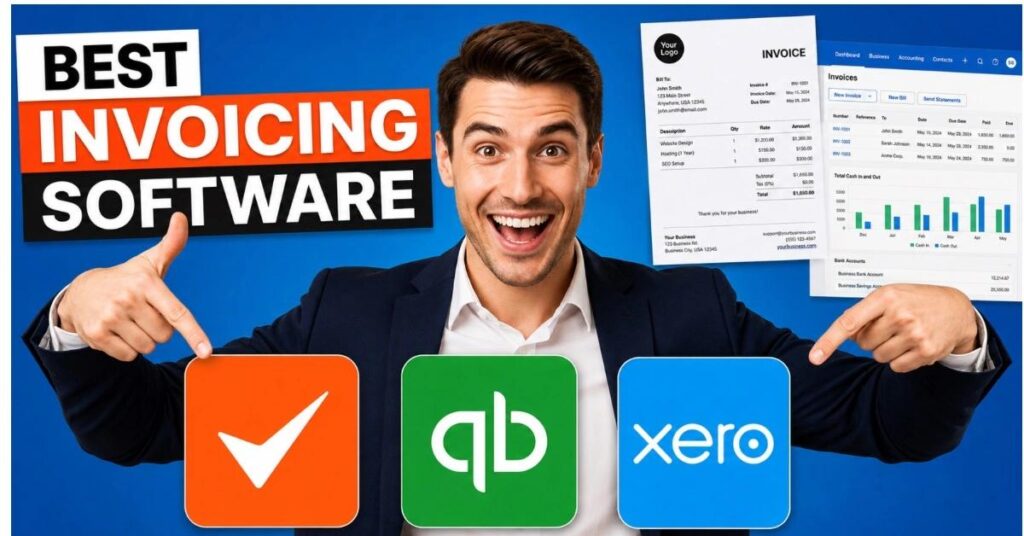
Best Invoicing Softwarefor Freelancers in 2026 Chasing unpaid invoices wastes more than 10 hours a month for the average freelancer — time you could spend on billable work. Worse, the tools most freelancers default to (Google Docs, Excel, a basic PDF generator) do nothing to prevent late payments, automate follow-ups, or give you a clear picture of who owes you what.
The best invoicing software for freelancers doesn’t just create a professional PDF. It sends the invoice, reminds your client automatically when it’s overdue, lets them pay online in two clicks, and logs the payment against your records without you touching a spreadsheet. The right tool saves you hours every month and gets money into your account faster.
We tested over 20 invoicing tools and narrowed them down to the Best Invoicing Softwarefor Freelancers in 2026covering every budget, from completely free to full-featured paid platforms. Pricing has been verified against each vendor’s live page as of May 2026.
Quick Comparison: Best Invoicing Software at a Glance
Here’s how all 10 tools stack up before we dive into the details. This table is designed to help you find your shortlist in under two minutes.
| Tool | Best For | Free Plan | Starting Price | Rating |
|---|---|---|---|---|
| FreshBooks | Hourly billing + time tracking | No | $19/mo (5 clients) | ★★★★★ 4.5 |
| Wave | Freelancers starting out, zero budget | Free | Free / $19/mo Pro | ★★★★☆ 4.4 |
| HoneyBook | Creatives: proposals + contracts + invoicing | No | $29/mo Starter | ★★★★★ 4.6 |
| Zoho Invoice | Feature-rich free invoicing | Free | Free (up to 1,000 invoices/yr) | ★★★★☆ 4.4 |
| Invoice Ninja | Tech-savvy freelancers, open-source | Free | Free / $14/mo Pro | ★★★★☆ 4.5 |
| Bonsai | US freelancers needing contracts + invoicing | No | $25/mo Starter | ★★★★★ 4.7 |
| PayPal Invoicing | International clients, instant familiarity | Free | Free (fees on payment) | ★★★★☆ 4.2 |
| Square Invoices | Milestone & deposit billing | Free | Free / $20/mo Plus | ★★★★☆ 4.3 |
| AND.CO (Fiverr) | Fiverr freelancers & gig workers | Free | Free / $18/mo Pro | ★★★★☆ 4.0 |
| QuickBooks Self-Employed | Freelancers needing full tax prep | No | $20/mo | ★★★★☆ 4.1 |
The Hidden Cost of “Free” Invoicing
A “free” invoicing tool that charges 2.9% + $0.60 per card transaction costs a freelancer billing $4,000/month around $122/month in payment fees alone. Before choosing based on the subscription price, calculate your real total cost using your actual billing volume.
What to Look for in Freelance Invoicing Software
Before comparing specific tools, it helps to know which features actually matter for solo freelancers versus which ones are enterprise bloat. Here’s what separates a genuinely useful billing tool from one that just creates PDFs:
- Speed to send: You should be able to create and send a professional invoice in under two minutes. If it takes longer, the tool is costing you money every month.
- Online payment links: Clients who can pay in one click pay faster. Every extra step between your invoice and their payment button costs you days.
- Automated reminders: Late payment reminders — sent automatically on a schedule you set — are the single biggest driver of getting paid on time. This matters more than template design.
- Recurring invoices: For retainer clients, auto-generating and sending invoices on a schedule removes an entire category of administrative work.
- Multi-currency support: If you work with international clients, you need a tool that handles currency conversion and displays amounts in your client’s currency.
- Time tracking integration: For hourly freelancers, tools that pull tracked time directly into an invoice eliminate the biggest source of billing errors.
- Mobile app: The ability to send an invoice from your phone while on a job site or in a client meeting is genuinely useful, not just a nice-to-have.
- Real payment processing cost: Look at the combined subscription + payment processing fee, not just the monthly plan price.
The 10 Best Invoicing Software for Freelancers in 2026
TOOL 01 / 10 FreshBooks
Best for freelancers who bill by the hour 4.5 / 5From $19/moNo Free Plan
FreshBooks has been the benchmark invoicing tool for freelancers for over a decade, and it earns that reputation with the best time-to-invoice workflow in this category. Start a timer on your phone, tag it to a client and project, and when it’s time to bill, those hours populate your invoice automatically — no manual entry, no guessing. It’s the tool other tools get compared against.
Key Features
- Time tracking integration: Built-in timer syncs directly to invoices — billable hours become line items in one click.
- Automated late-payment reminders: Set schedules (e.g. 7 days before due, day of, 7 days after) and FreshBooks handles follow-up on autopilot.
- Client portal: Clients can view, comment on, and pay invoices online without needing an account.
- Expense tracking: Photograph receipts on your phone; FreshBooks categorizes and attaches them to projects automatically.
- Bank reconciliation (Plus and above): Connect your bank account to match transactions and keep books current without an accountant.
Pros
- Best-in-class time tracking to invoice workflow
- Polished, professional invoice templates
- Reliable automated payment reminders
Cons
- Lite plan capped at 5 billable clients — punishes freelancers with many small clients
- Payment processing fees (2.9% + $0.30/card) add up at scale
Pricing (billed monthly) Lite $19/mo (5 clients) · Plus $33/mo (50 clients) · Premium $60/mo
TOOL 02 / 10 Wave Best free invoicing software for freelancers 4.4 / 5Free / $19/mo ProFree Plan
Wave offers genuinely capable invoicing at zero cost, with no hidden invoice limits or forced upgrades on the free tier. The invoice builder is polished — add your logo, customize colors, drag-and-drop line items — and the result looks as professional as anything from a paid tool. For freelancers sending fewer than 10 invoices a month who receive mostly bank transfer payments, Wave may be all they ever need.
Verified User Report — February 2026
A widely-shared thread in early 2026 documented a freelancer whose $2,000+ client payment was frozen by Wave after the account was flagged as “not a real business.” If you rely on Wave for large payments, consider maintaining a backup payment method or upgrading to Pro for improved payment processing reliability.
Key Features
- Unlimited invoices & clients (free): No caps, no trial pressure, no upgrade required for core invoicing.
- Double-entry accounting (free): Full income/expense bookkeeping at no cost — rare among free tools.
- Wave Pro ($19/mo): Adds automatic bank transaction imports, first 10 payment processing transactions/month at reduced fees, and receipt scanning add-on ($8/mo).
- Payroll add-on (US only): Optional payroll module for freelancers who hire subcontractors.
Pros
- Genuinely free with no invoice or client limits
- Full accounting software included at zero cost
- Professional-looking templates with customization
Cons
- Payment processing reports of account freezes (see above)
- No time tracking on free tier
Pricing
Free forever · Pro $19/mo · Payment fee: 2.9% + $0.60/card
TOOL 03 / 10 HoneyBook
Best all-in-one platform for creative freelancers
4.6 / 5From $29/moNo Free Plan
HoneyBook is purpose-built for photographers, event planners, designers, and other creatives who need proposals, contracts, and invoices to work together as a single, seamless client experience. Its standout capability is the combined proposal-contract-invoice file: the client reads your proposal, signs the contract, and pays the deposit — all in one document, in one sitting. This collapses a process that usually takes several back-and-forth emails into a single step.
Key Features
- All-in-one client files: Proposals, contracts, and invoices combined into a single shareable document clients can sign and pay in one step.
- Automated workflows: Build sequences that send follow-ups, reminders, questionnaires, and invoices automatically at defined intervals after a client action.
- Project pipeline view: Visual kanban of every client and where they are in your process — inquiry, booked, delivered, complete.
- Branding controls: Full-color branded client portals that match your visual identity.
Pros
- Best proposal-to-payment experience in a single platform
- Automation reduces repetitive client communication significantly
- Consistently the highest-rated tool among creative freelancers
Cons
- $29/mo starting price is overkill if you only need invoicing
- Payment processing: 2.9% + $0.25/card; 1.5% for ACH
Pricing (billed annually)
Starter $29/mo · Essentials $49/mo · Premium $109/mo
TOOL 04 / 10
Zoho Invoice
Best feature-rich free invoicing tool
4.4 / 5FreeFree Plan
Zoho Invoice is one of the most capable free invoicing tools available in 2026. It offers recurring invoices, time tracking, a client portal, automated payment reminders, multi-currency support, and expense tracking — all at $0 per month. These are features that paid competitors charge $20–$30/month for. The limit to be aware of: the free plan caps at 1,000 invoices per year (about 83/month), which is more than enough for most solo freelancers.
Key Features
- Completely free: No credit card, no trial — unlimited clients, recurring invoices, and time tracking at zero cost.
- Multi-currency & multi-language: Solid international support with VAT/GST handling for non-US freelancers.
- Client portal: Clients get a branded portal to view invoice history, approve estimates, and pay online.
- Zoho ecosystem integration: Connects cleanly with Zoho CRM, Zoho Books, and Zoho Projects if you use the broader Zoho stack.
Pros
- Most feature-rich free plan in this comparison
- Excellent international/VAT support for non-US freelancers
- Time tracking and recurring invoices included for free
Cons
- Interface is busier and steeper learning curve than simpler tools
- No retainer invoice support; can feel like overkill for basic workflows
Pricing
Free (up to 1,000 invoices/yr) · Upgrade to Zoho Books for advanced accounting
TOOL 05 / 10 Invoice Ninja
Best for technical freelancers who want data ownership
4.5 / 5Free / $14/mo ProFree Plan
Invoice Ninja is the open-source champion of this category. The free cloud plan covers five clients with unlimited invoices. The Pro plan ($14/month) removes that limit. For technically confident freelancers, the self-hosted open-source version offers complete data ownership and zero ongoing subscription cost. Note that pricing changed at the start of 2026, so older articles citing different rates may be out of date.
Key Features
- Open-source & self-hostable: Run the software on your own server — no ongoing fees, full data control, unlimited customization.
- Multi-gateway payments: Supports Stripe, PayPal, Braintree, Authorize.net, and 30+ other payment gateways.
- Client portal & quotes: Clients can approve quotes, view invoice history, and pay online from a branded portal.
- API access: Full REST API lets developers build custom integrations.
Pros
- Self-hosted version is free with zero ongoing cost
- Most payment gateway options in this comparison
- Excellent for developers who want to customize or integrate
Cons
- Self-hosting requires technical knowledge — not suitable for non-developers
- UI lags behind more polished consumer tools
Pricing
Free (5 clients) · Pro $14/mo · Self-hosted: free (open-source)
TOOL 06 / 10 Bonsai
Best for US-based freelancers who send contracts regularly
4.7 / 5From $25/moNo Free Plan
Bonsai is the highest-rated tool in this comparison among US-based freelancers, particularly developers, designers, and consultants who regularly need to send legally-solid contracts alongside invoices. Like HoneyBook, Bonsai combines proposals, contracts, and invoicing in one platform — but it has a stronger reputation in the developer and tech-consulting community, where contract clarity is non-negotiable.
Key Features
- Contract templates: Lawyer-reviewed contract templates for common freelance scenarios — client work, NDA, IP assignment, subcontracting.
- Proposal-to-invoice flow: Convert accepted proposals to invoices in one click; client approval triggers automatic invoice generation.
- Time tracking & project management (Essentials+): Built-in time tracking and task management linked directly to client invoices.
- Tax reporting (US): Quarterly estimated tax calculations and 1099 tracking for US freelancers.
Pros
- Best contract template library for US freelancers
- Highest user satisfaction ratings in this comparison
- Proposal → contract → invoice flow is genuinely seamless
Cons
- $25/mo entry price is high if you primarily need invoicing only
- US-centric — international tax and multi-currency support is limited
Pricing
Starter $25/mo · Professional $39/mo · Business $79/mo
TOOL 07 / 10 PayPal Invoicing
Best for invoicing international clients quickly
4.2 / 5Free (fees on payment)Free Plan
PayPal Invoicing is the default choice when you need to bill an international client who doesn’t want to hand over a credit card to an unfamiliar platform. Almost every business professional already has a PayPal account. The tool itself is basic — create invoices, add line items, include terms, send — but the payment experience is frictionless for recipients. Currency conversion happens automatically, making it the simplest cross-border payment option in this list.
Key Features
- Zero subscription cost: No monthly fee — you only pay when clients pay you (processing fees apply).
- Universal client familiarity: Most clients already have PayPal, reducing the payment friction of unfamiliar checkout pages.
- Automatic currency conversion: International payments are handled automatically with PayPal’s exchange rates.
- Recurring invoices: Set up recurring billing schedules for retainer clients.
Pros
- Zero subscription cost — most accessible option for new freelancers
- Seamless international payments with auto currency conversion
- Universally recognized brand reduces client hesitation
Cons
- Basic tool — no time tracking, no contracts, minimal automation
- Processing fees (around 3.49% + fixed fee for card) are among the highest here
Pricing
Free to create invoices · ~3.49% + fixed fee per card transaction
TOOL 08 / 10
Square Invoices Best for milestone billing and deposit-based projects
4.3 / 5Free / $20/mo PlusFree Plan
Square Invoices stands out for one specific capability that no other free tool in this list matches: milestone and deposit billing. You can send a single invoice for a $5,000 project with a $1,500 deposit due immediately, a $2,000 milestone payment, and $1,500 at delivery — all tracked within the same invoice. For web designers, contractors, photographers, and anyone who works on larger projects with payment schedules, this is a genuine differentiator.
Key Features
- Milestone & deposit billing: Split any project into up to 12 scheduled payment milestones within a single invoice.
- Automatic payment reminders: Configurable reminder schedules on the free plan.
- Square ecosystem integration: Works with Square POS if you also take in-person payments.
- ACH bank transfers (1% fee, $1 minimum): Lower payment processing costs than card for US clients who prefer bank transfers.
Pros
- Best milestone billing capability among free tools
- ACH transfer option lowers per-payment cost for US clients
- Clean, modern interface that’s easy to learn
Cons
- Card processing fee is 3.3% + $0.30 — above average in this comparison
- Limited international support compared to Zoho Invoice
Pricing
Free · Plus $20/mo · Card: 3.3% + $0.30 · ACH: 1% ($1 min)
TOOL 09 / 10 AND.CO (by Fiverr)
Best for Fiverr sellers and gig-economy freelancers
4.0 / 5Free / $18/mo ProFree Plan
AND.CO is Fiverr’s own freelancer business tool, covering invoicing, contracts, proposals, time tracking, and expense management in one platform. The free plan is generous for a single project at a time, and it integrates with the Fiverr ecosystem if you source clients there. It’s a solid starter platform for new freelancers who want one place for their basic business admin without spending anything up front.
Key Features
- Fiverr integration: Native connection to the Fiverr marketplace for sellers managing off-platform client work.
- Proposals + contracts + invoices: All three document types under one roof on both free and paid plans.
- Time tracker: Built-in timer that converts tracked hours to invoice line items.
- Expense tracking: Log and categorize expenses per project for accurate billing.
Pros
- Free plan is generous for new freelancers with one active project
- All-in-one: proposals, contracts, invoices, time tracking
- Fiverr ecosystem integration is unique in this comparison
Cons
- Free plan limited to one active project at a time
- Lowest user satisfaction rating in this comparison; support can be slow
Pricing
Free (1 project) · Pro $18/mo (unlimited projects)
TOOL 10 / 10 QuickBooks Self-Employed
Best for freelancers who need full tax prep and mileage tracking
4.1 / 5From $20/moNo Free Plan
QuickBooks Self-Employed is less an invoicing tool and more a tax-optimization platform for self-employed workers that also happens to do invoicing well. It automatically separates personal and business transactions, tracks mileage via GPS, calculates quarterly estimated taxes, and can export your Schedule C data directly into TurboTax. For US freelancers who dread tax season and don’t want to pay an accountant, this is a genuine time and money saver.
Key Features
- Automatic transaction categorization: Connects to your bank and card to automatically tag business vs personal expenses.
- Mileage tracking: GPS-based automatic mileage logging for vehicle deductions.
- Quarterly tax estimates: Calculates and reminds you of quarterly estimated tax payments based on your income throughout the year.
- TurboTax integration: One-click export of your self-employment data directly into TurboTax at year end.
Pros
- Best tax prep integration — invaluable for US freelancers
- Automatic mileage tracking is a unique, high-value feature
- Reduces accounting costs and quarterly tax surprises
Cons
- Invoicing features are less polished than purpose-built tools
- US-only focus; limited value for non-US freelancers
Pricing
Self-Employed $20/mo · Self-Employed Tax Bundle $30/mo
Best Free Invoicing Software for Freelancers
If budget is your primary constraint, you have more genuinely useful free options in 2026 than ever before. Here’s how the best free tools compare on the dimensions that matter most:
| Tool | Invoice Limit | Card Processing Fee | Time Tracking | Best For |
|---|---|---|---|---|
| Zoho Invoice | 1,000 / year | Via gateway (Stripe/PayPal) | ✓ Included | Feature-hungry freelancers |
| Wave | Unlimited | 2.9% + $0.60 | ✗ No | US/Canada freelancers, accounting too |
| Invoice Ninja | Unlimited (5 clients) | Via gateway | ✓ Included | Tech-savvy freelancers |
| PayPal Invoicing | Unlimited | ~3.49% + fixed | ✗ No | International/global clients |
| Square Invoices | Unlimited | 3.3% + $0.30 | ✗ No | Milestone & deposit projects |
Tip — Zoho Invoice is the free standout in 2026
For most freelancers, Zoho Invoice is the best free option in 2026. It’s the only free tool that includes time tracking, recurring invoices, a client portal, and multi-currency support — all features competitors charge $20–$30/month for. The learning curve is steeper than Wave or PayPal, but the capability is unmatched at zero cost.
Best Invoicing Software by Freelance Type
Different types of freelancers have meaningfully different invoicing needs. Here’s a targeted recommendation for each category:
Best Invoicing Software for Freelance Designers
HoneyBook is the clear winner for designers. The ability to send a beautifully-designed proposal, have the client sign the contract, and collect the deposit — all in one branded document — is exactly what creative client relationships need. The project pipeline view also helps designers manage multiple clients without dropping the ball on follow-ups. For designers just starting out on a tight budget, Zoho Invoice’s free plan covers the basics well.
Best Invoicing Software for Freelance Writers
Wave or Zoho Invoice are the best fits for writers. Most writing work is project-based rather than hourly, invoice volumes are typically low (10–20/month), and payment amounts tend to be in a range where Wave’s free plan makes straightforward financial sense. If you regularly need to send contracts alongside invoices, Bonsai’s writer-friendly contract templates make it worth the $25/month.
Best Invoicing Software for Freelance Developers
Bonsai or Invoice Ninja are the top picks for developers. Bonsai’s lawyer-reviewed contract templates, particularly its IP assignment and client work agreements, address the legal realities of software development work. Developers comfortable with server setup will find Invoice Ninja’s self-hosted version uniquely appealing — full control, full customization, zero monthly cost, and a REST API to build custom integrations.
Best Invoicing Software for Consultants
FreshBooks is the strongest option for consultants who bill by the hour. The seamless time tracking to invoice workflow eliminates the biggest administrative pain point in consulting: manually calculating hours from timesheets and entering them into invoices. For consultants with complex tax needs, pairing QuickBooks Self-Employed with a separate invoice tool is worth considering for the tax-filing benefits alone.
FAQ
Q1.What is the best free invoicing software for freelancers?
Zoho Invoice is the best free option in 2026 for most freelancers. It’s completely free with no invoice limits (up to 1,000/year) and includes features that paid tools typically charge for: time tracking, recurring invoices, a client portal, automated payment reminders, and multi-currency support. Wave is the best free alternative for US and Canadian freelancers who also want free double-entry accounting alongside their invoicing.
Q2.How do freelancers send professional invoices?
The most professional freelance invoices include: your business name and contact information, the client’s details, a unique invoice number, an itemized list of services with rates, the total amount due, clear payment terms (e.g. Net 14 or Net 30), and an online payment link. Using dedicated invoicing software — even a free tool like Zoho Invoice or Wave — produces consistently professional-looking invoices with payment links built in, which look far more credible to clients than PDF attachments from Google Docs.
Q3.What invoicing software do most freelancers use?
FreshBooks and Wave consistently rank as the most widely used invoicing tools among freelancers based on user review platforms and industry surveys. FreshBooks leads among established freelancers billing hourly for its time tracking integration. Wave is the most common choice among new and budget-conscious freelancers because of its free tier. HoneyBook dominates among creative freelancers — particularly photographers and event professionals.
Q4.QuickBooks good for freelancers?
QuickBooks Self-Employed is a strong option for US-based freelancers, but specifically for its tax features rather than its invoicing. The automatic transaction categorization, GPS mileage tracking, quarterly tax estimate calculations, and TurboTax integration provide real financial value that can save more than the $20/month subscription cost in tax savings alone. If invoicing is your primary need, FreshBooks or Wave serve that purpose better. If tax preparation is your biggest pain point, QuickBooks Self-Employed earns its place.
Q5.Can I send invoices for free as a freelancer?
Yes — several tools let you create and send professional invoices at zero monthly cost. Wave, Zoho Invoice, Invoice Ninja (up to 5 clients), PayPal Invoicing, and Square Invoices all have free plans for creating and sending invoices. The key distinction is payment processing: most free tools still charge a percentage fee (typically 2.9–3.5%) when clients pay by credit card. If your clients pay by bank transfer or check, tools like Wave and Zoho Invoice can be genuinely completely free.
Conclusion
After testing 20+ tools, the best invoicing software for freelancers in 2026 comes down to your specific situation. There’s no single right answer — but the decision tree is straightforward:
Quick Verdict by Use Case
Zero budgetStart with Zoho Invoice. It’s completely free and offers more features than any other free tool in 2026 — including time tracking, recurring invoices, and a client portal.
Hourly billingFreshBooks is the clear choice. The time-to-invoice workflow is faster and more reliable than any competitor, and the automated reminders consistently reduce late payments.
Creative freelancerHoneyBook handles proposals, contracts, and invoices in one branded client experience. Worth every cent of the $29/month if you regularly do client onboarding.
US freelancer, tax-focusedQuickBooks Self-Employed for the mileage tracking, quarterly tax estimates, and TurboTax export — features that pay for the subscription in actual tax savings.
Developer / technicalInvoice Ninja (self-hosted) offers total data ownership, API access, and unlimited invoicing at zero cost — if you’re comfortable setting it up.
International clientsPayPal Invoicing for instant familiarity and automatic currency conversion, or Zoho Invoice free for better VAT/GST support and a more complete feature set.
Whatever tool you choose, the most important thing is to actually use it consistently. Sending invoices promptly, using automated reminders, and accepting online payments are the three habits that reduce late payments more than any software feature. Pick the tool that makes those habits easy, and you’ll get paid faster — and spend less time chasing invoices.
Pricing verified against vendor websites as of May 2026. Always confirm current pricing at each vendor’s official pricing page before signing up. Payment processing fees are separate from subscription costs and vary by payment method.