Last Updated: June 2026 | Reading Time: 12 minutes
Running a small business in 2026 without AI is like running a race with one leg tied. Your competitors are using AI to write faster, market smarter, automate busywork, and serve customers 24/7 while you’re still doing it all manually.
The good news? You don’t need a big budget or a tech team. The best AI tools for small business are affordable, beginner-friendly, and can save you 10–20 hours every single week.
I tested over 40 tools. I cut it down to the 15 that actually deliver results for small business owners not just hype.
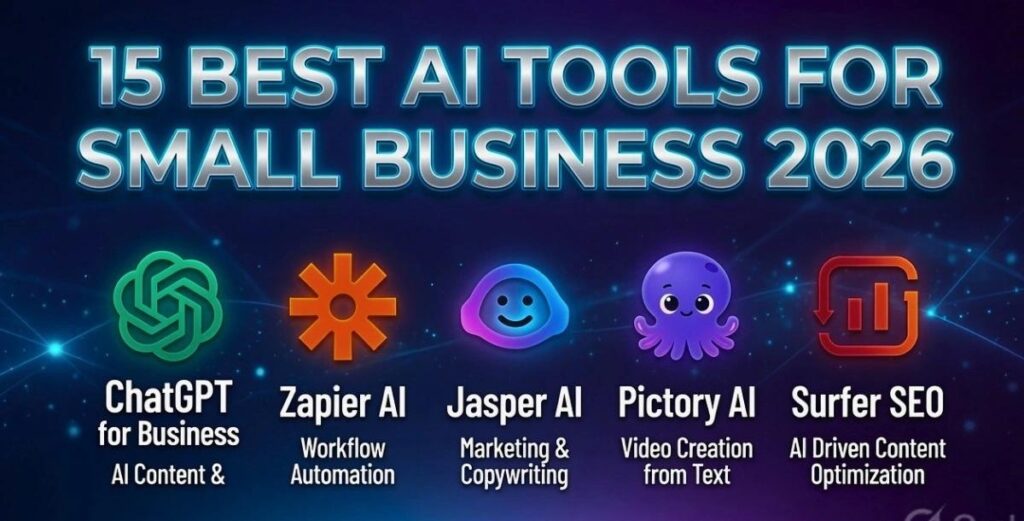
Quick Comparison Table: Best AI Tools for Small Business 2026
| Tool | Best For | Free Plan | Starting Price | Rating |
|---|---|---|---|---|
| ChatGPT | All-in-one writing & research | ✅ Yes | $20/month | ⭐⭐⭐⭐⭐ |
| Jasper AI | Marketing content & brand voice | ❌ No | $49/month | ⭐⭐⭐⭐⭐ |
| Canva AI | Design & social media graphics | ✅ Yes | $15/month | ⭐⭐⭐⭐⭐ |
| Grammarly | Writing quality & tone | ✅ Yes | $12/month | ⭐⭐⭐⭐ |
| Notion AI | Project management & notes | ✅ Yes | $10/month | ⭐⭐⭐⭐⭐ |
| Zapier | Automation & app connections | ✅ Yes | $20/month | ⭐⭐⭐⭐⭐ |
| Surfer SEO | Blog ranking & SEO content | ❌ No | $79/month | ⭐⭐⭐⭐ |
| Tidio | Customer support chatbot | ✅ Yes | $29/month | ⭐⭐⭐⭐ |
| Otter.ai | Meeting transcription | ✅ Yes | $16.99/month | ⭐⭐⭐⭐ |
| QuickBooks AI | Accounting & cash flow | ❌ No | $15/month | ⭐⭐⭐⭐⭐ |
| HubSpot AI | CRM & email marketing | ✅ Yes | $20/month | ⭐⭐⭐⭐⭐ |
| Copy.ai | Ad copy & sales emails | ✅ Yes | $49/month | ⭐⭐⭐⭐ |
| Perplexity AI | Business research | ✅ Yes | $20/month | ⭐⭐⭐⭐ |
| Descript | Video & podcast editing | ✅ Yes | $24/month | ⭐⭐⭐⭐ |
| Microsoft Copilot | Office & productivity | ✅ Yes | $30/month | ⭐⭐⭐⭐ |
The 15 Best AI Tools for Small Business in 2026
1. ChatGPT — Best All-in-One AI Tool for Small Business
Best for: Writing, research, customer emails, brainstorming, coding
Free plan: Yes (limited) | Paid: $20/month (Plus), $25/user/month (Business)
ChatGPT is the Swiss Army knife of AI tools in 2026. There is no faster way to go from idea to finished draft whether that’s a sales email, a product description, a social media post, or a customer response script.
What makes it worth paying for:
- GPT-4o model handles complex reasoning, analysis, and long documents
- Built-in image generation (GPT Image 2) for social media graphics and mockups
- Custom GPTs let you build a trained “employee” for your specific business
- Works in 50+ languages perfect for reaching global customers
Real use case: A bakery owner uses ChatGPT to write Instagram captions, respond to customer reviews, draft supplier emails, and brainstorm new product names all in under 30 minutes per week.
Who should use it: Every small business. Start here before any other tool.
Pricing breakdown:
- Free: Basic access, slower responses, limited features
- Plus ($20/month): Faster, GPT-4o, image generation, file uploads
- Business ($25/user/month): Team features, data privacy, admin controls
➡️ Try ChatGPT Free →
2. Jasper AI — Best for Marketing Content & Brand Consistency
Best for: Blog posts, ad copy, product descriptions, social media
Free plan: No | Paid: From $49/month (Creator), $125/month (Teams)
If ChatGPT is the general tool, Jasper is the specialist. It is built specifically for marketing content, and it shows. The Brand Voice feature is the standout upload your existing content and Jasper learns your tone, style, and personality. Every piece of content it generates from that point on sounds like YOU wrote it.
Why Jasper beats generic AI for marketing:
- Brand Voice training means consistent tone across every post
- 50+ marketing-specific templates: Facebook ads, email sequences, product pages
- SEO mode integrates with Surfer SEO for ranking-optimized content
- Team collaboration tools so multiple writers stay on-brand
Real use case: A digital marketing agency uses Jasper to produce 30 blog posts per month for clients in 40% less time than before without sacrificing quality or brand consistency.
Who should use it: Businesses producing consistent content: blogs, ads, email newsletters, social media.
Pricing:
- Creator ($49/month): 1 user, unlimited words, 1 brand voice
- Teams ($125/month): 3 users, unlimited brand voices, collaboration tools
- Business: Custom pricing for large teams
➡️ Try Jasper AI — 7-Day Free Trial →
3. Canva AI — Best for Design Without a Designer
Best for: Social media graphics, presentations, ads, logos, videos
Free plan: Yes (excellent) | Paid: ~$15/month (Pro)
In 2026, Canva is no longer just a design tool. It is an AI-powered content factory. Small businesses that used to spend $500+ per month on a graphic designer are now producing professional visuals in minutes.
The AI features that matter most:
- Magic Design: Type a prompt, get a complete, branded design in seconds
- Magic Write: Generate captions, ad copy, and headlines inside your designs
- Background Remover: One-click product photo cleanup
- AI Video: Turn text or images into short videos for Reels, TikTok, YouTube Shorts
- Brand Kit: Upload your logo, colors, and fonts all designs auto-match your brand
Real use case: A clothing boutique creates all Instagram posts, email banners, sale flyers, and promotional videos using Canva AI — zero design experience required.
Who should use it: Any business that needs regular visual content. The free plan alone is better than most paid design tools from 3 years ago.
Pricing:
- Free: 1,000+ templates, basic AI features, 5GB storage
- Pro (~$15/month): Full AI features, brand kit, 100GB storage, background remover
- Teams (~$10/user/month): Shared brand assets, team folders
➡️ Try Canva AI Free →
4. Grammarly — Best for Professional Writing Quality
Best for: Emails, proposals, social posts, website copy
Free plan: Yes | Paid: $12/month (Individual), $15/user/month (Business)
Every business communication reflects your brand. A typo in a client proposal, a confusing email to a supplier, or a sloppy product description can cost you sales. Grammarly catches those mistakes and in 2026, it goes much further than spell-check.
What Grammarly AI does in 2026:
- Real-time grammar, spelling, and punctuation correction
- Tone detection: know if your email sounds too aggressive or too casual
- Clarity rewrites: turns confusing sentences into clean, direct ones
- Style consistency: ensures your whole team writes in the same voice
- Works inside Gmail, Slack, Google Docs, LinkedIn, and your browser
Who should use it: Any business owner who writes client-facing content. At $12/month, it pays for itself the first time it prevents a spelling mistake from going to an important client.
Pricing:
- Free: Core grammar and spelling correction
- Premium ($12/month): Tone, clarity, style suggestions
- Business ($15/user/month): Team analytics, style guide, brand tone
➡️ Try Grammarly Free →
5. Notion AI — Best for Productivity & Team Organization
Best for: Project management, meeting notes, SOPs, internal docs
Free plan: Yes | Paid: $10/member/month (AI add-on)
Notion AI turns your entire business brain into a searchable, organized, AI-powered database. For small teams, it replaces 5–6 different apps: Google Docs, Trello, Asana, Confluence, and a file server all in one.
Why small businesses love Notion AI:
- Summarize long documents into bullet-point action items in seconds
- Auto-generate meeting agendas, project plans, and SOPs from a prompt
- Ask questions about anything in your workspace: “What did we decide about the new pricing?” → instant answer
- Create a company wiki that new employees can actually use
Real use case: A 6-person e-commerce team replaced Slack, Google Docs, and Asana with Notion AI saving $180/month in software costs while having a single source of truth for every project.
Pricing:
- Free: Unlimited pages, basic features
- Plus ($12/month): Unlimited file uploads, 30-day history
- AI add-on: $10/member/month on top of any plan
➡️ Try Notion AI Free →
6. Zapier — Best for Automation (No Coding Required)
Best for: Connecting apps, eliminating repetitive tasks, workflow automation
Free plan: Yes (5 automations) | Paid: From $20/month
Zapier is what happens when AI meets automation. In 2026, its AI layer means you describe what you want in plain English and Zapier builds the automation for you: “When a new customer fills out the contact form, add them to my CRM, send a welcome email, and notify me in Slack.”
Done. Forever. No code, no manual work.
The workflows that save small businesses the most time:
- Lead capture → CRM → welcome email sequence (automatic)
- New invoice in QuickBooks → Slack alert to the team
- Customer review posted online → auto-saved to your feedback database
- New Calendly booking → calendar event + reminder email sent automatically
Who should use it: Any business doing repetitive data entry or manual copy-pasting between apps. The average Zapier user saves 10+ hours per week.
Pricing:
- Free: 5 automations, 100 tasks/month
- Starter ($20/month): 20 automations, 750 tasks/month
- Professional ($49/month): Unlimited automations, advanced features
➡️ Start Automating with Zapier Free →
7. Surfer SEO — Best for Ranking Your Blog on Google
Best for: Blog writing, SEO optimization, content strategy
Free plan: No | Paid: From $79/month
If you want your blog articles to rank on Google not just exist Surfer SEO is the tool that makes it happen. It analyzes the top 20 ranking pages for any keyword and tells you exactly what to write: word count, headings, keywords to include, internal links needed, and content structure.
How Surfer SEO beats writing blind:
- Content Editor shows you real-time score as you write (aim for 70+ to rank)
- Keyword research with clustering find 50 related keywords in one click
- AI Outline Generator creates a full, SEO-ready article structure in 30 seconds
- SERP Analyzer shows what your competitors are doing right
- Audit tool diagnoses why existing articles aren’t ranking
Real use case: A freelance consultant used Surfer SEO to take a blog from 200 to 8,000 monthly visitors in 4 months by optimizing just 12 existing articles.
Who should use it: Any business investing in content marketing and SEO. Essential if you want articles to rank, not just exist.
Pricing:
- Essential ($79/month): 30 articles/month, content editor, audit
- Scale ($175/month): 100 articles, team features, white-label
- Enterprise: Custom
➡️ Try Surfer SEO — 7-Day Free Trial →
8. Tidio — Best AI Customer Support Chatbot
Best for: 24/7 customer support, lead capture, e-commerce support
Free plan: Yes | Paid: From $29/month
Tidio’s AI chatbot called Lyro handles up to 70% of customer questions automatically, without you lifting a finger. Common questions about shipping, returns, product availability, and business hours get answered instantly, at 3am, on weekends, in multiple languages.
Why Tidio works for small businesses:
- Lyro AI answers in natural conversation, not robotic canned responses
- Connects to your website, Facebook Messenger, Instagram, and WhatsApp
- Captures leads 24/7 even when you’re offline
- Escalates complex issues to a human with full chat history
- E-commerce integrations with Shopify, WooCommerce, BigCommerce
Who should use it: Any business with a website, especially e-commerce stores. Paying $29/month to handle 200+ customer queries automatically is an obvious win.
Pricing:
- Free: 50 conversations/month, basic chatbot
- Starter ($29/month): 100 Lyro AI conversations, live chat
- Growth ($59/month): 250 conversations, advanced automation
➡️ Try Tidio Free →
9. Otter.ai — Best for Meeting Notes & Transcription
Best for: Zoom calls, client meetings, team standups, interviews
Free plan: Yes (300 minutes/month) | Paid: $16.99/month
Every meeting where you scramble to take notes is a meeting where you’re not fully listening. Otter.ai joins your Zoom, Google Meet, or Microsoft Teams calls and transcribes everything in real time then generates a summary, action items, and follow-up tasks automatically.
What Otter does that saves hours:
- Auto-joins scheduled meetings from your calendar
- Real-time transcription with speaker labels
- AI summary with key points and action items in under 2 minutes
- Searchable archive: find anything discussed in any past meeting
- Share transcripts with clients or team members instantly
Who should use it: Any business owner in 3+ meetings per week. The free plan covers most small business needs.
Pricing:
- Free: 300 minutes/month, 3 imports
- Pro ($16.99/month): 1,200 minutes/month, AI Chat feature
- Business ($30/user/month): Unlimited minutes, team features
➡️ Try Otter.ai Free →
10. QuickBooks AI — Best for Small Business Accounting
Best for: Invoicing, expense tracking, tax prep, cash flow prediction
Free plan: No | Paid: From $15/month
QuickBooks added serious AI capabilities in 2025–2026 that go well beyond bookkeeping. It now categorizes your expenses automatically, predicts your cash flow for the next 90 days, flags potential tax deductions, and sends invoice reminders without you touching anything.
AI features that save real money:
- Auto-categorizes bank transactions with 95%+ accuracy
- Cash flow forecasting: know before you run short
- Smart invoice follow-up: reminds clients to pay automatically
- Tax deduction finder: surfaces things you’d likely miss
- Mileage tracking via mobile app with automatic logging
Who should use it: Every small business owner who hates bookkeeping. At $15/month, it’s cheaper than 1 hour of accountant time per month.
Pricing:
- Simple Start ($15/month): 1 user, income/expenses, invoices
- Essentials ($30/month): 3 users, bill management, time tracking
- Plus ($45/month): 5 users, inventory, project profitability
➡️ Try QuickBooks Free for 30 Days →
11. HubSpot AI — Best Free CRM for Small Business
Best for: Customer relationship management, email marketing, sales pipeline
Free plan: Yes (very generous) | Paid: From $20/month
HubSpot’s free CRM is one of the best-kept secrets in small business software. It tracks every customer interaction, sends AI-written follow-up emails, predicts which leads are most likely to close, and manages your entire sales pipeline for free, for unlimited contacts.
What HubSpot AI does automatically:
- Writes personalized follow-up emails based on previous conversations
- Scores leads so you know who to call first
- Tracks opens, clicks, and replies for every email you send
- Creates a timeline of every touchpoint with every customer
- AI chatbot for your website that captures and qualifies leads 24/7
Who should use it: Any business with more than 10 customers. Stop tracking sales in a spreadsheet.
Pricing:
- Free: CRM, email marketing (2,000 sends/month), live chat, forms
- Starter ($20/month): Removed HubSpot branding, more emails, automation
- Professional ($890/month): Advanced automation, reporting, SEO tools
➡️ Try HubSpot CRM Free →
12. Copy.ai — Best for Sales Copy & Ad Writing
Best for: Facebook ads, Google ads, cold emails, product descriptions
Free plan: Yes (2,000 words/month) | Paid: From $49/month
Copy.ai specializes in short-form conversion copy the headlines, ad copy, email subject lines, and CTAs that actually make people click and buy. It is faster and more conversion-focused than general AI tools for pure sales and advertising writing.
Where Copy.ai shines:
- Facebook and Instagram ad copy in 30 seconds
- Cold email sequences that don’t sound robotic
- Product descriptions for Shopify or Amazon listings
- Sales page headlines and value propositions
- A/B test variations: generate 10 versions of the same ad, test which wins
Who should use it: E-commerce businesses, agencies, and anyone running paid ads.
Pricing:
- Free: 2,000 words/month, 1 user, basic templates
- Pro ($49/month): Unlimited words, 5 users, priority support
- Team ($249/month): 20 users, team workflows, brand voice
➡️ Try Copy.ai Free →
13. Perplexity AI — Best for Business Research
Best for: Competitor research, industry trends, fact-checking, market analysis
Free plan: Yes | Paid: $20/month (Pro)
Perplexity is what Google Search should be: you ask a real question, get a real answer with cited sources not a page of SEO’d articles to wade through. For small business owners who need fast, accurate research, it is invaluable.
Research tasks Perplexity handles in minutes:
- “What are the top complaints customers have about [competitor]?”
- “What are the current regulations for selling supplements online in the US?”
- “What marketing strategies are working in the restaurant industry in 2026?”
- Competitor pricing, product launches, news, and reviews all sourced and cited
Who should use it: Any business owner who spends time researching. The free tier is genuinely useful.
Pricing:
- Free: Unlimited basic searches, standard AI model
- Pro ($20/month): Unlimited advanced searches, file uploads, Spaces (research workspaces)
➡️ Try Perplexity AI Free →
14. Descript — Best for Video & Podcast Editing
Best for: Video content, podcasts, YouTube, social media clips
Free plan: Yes | Paid: From $24/month
Descript lets you edit video like a document. You edit the transcript delete a sentence in the text and the video edits itself. For small business owners creating video content without a video editor, this is transformative.
AI features that change video production:
- Overdub: Fix audio mistakes by typing the correction (AI recreates your voice)
- Auto-remove filler words (“um,” “uh,” “like”) with one click
- Screen recording with automatic captions
- Clip Generator: Turn long videos into short social clips automatically
- Studio Sound: Make phone-recorded audio sound professional
Who should use it: Any business creating video content for YouTube, Instagram Reels, TikTok, or LinkedIn.
Pricing:
- Free: 1 hour of transcription/month, basic features
- Creator ($24/month): 10 hours transcription, Overdub, watermark-free export
- Business ($40/user/month): Unlimited transcription, team features
➡️ Try Descript Free →
15. Microsoft Copilot — Best for Microsoft 365 Users
Best for: Word, Excel, PowerPoint, Outlook, Teams — all with AI built in
Free plan: Yes (basic) | Paid: $30/user/month (Microsoft 365 Copilot)
If your business already uses Microsoft 365 and most US businesses do adding Copilot turns every app into an AI-powered tool. It drafts emails in Outlook, creates PowerPoint presentations from a prompt, writes Excel formulas from plain English, and summarizes long Teams meetings.
What Copilot does inside each app:
- Outlook: Draft replies, summarize email threads, schedule follow-ups
- Word: Write first drafts, rewrite sections, summarize long documents
- Excel: Analyze data, create charts, write formulas from descriptions
- PowerPoint: Create full presentations from a one-paragraph brief
- Teams: Summarize meetings, generate action items, catch you up if you joined late
Who should use it: Any business already paying for Microsoft 365. The $30/month upgrade pays for itself immediately.
Pricing:
- Free Copilot: Basic AI at copilot.microsoft.com
- Microsoft 365 Copilot ($30/user/month): Full integration into all Office apps
➡️ Learn More About Microsoft Copilot →
How to Choose the Right AI Tools for Your Business
Don’t try to use all 15 tools at once. Here is the smart approach:
Stage 1 — Solo entrepreneur or just starting ($35–55/month total): Start with ChatGPT Plus ($20/month) for writing and thinking, Canva AI Free for design, and Grammarly Free for polishing. This covers your three biggest time drains for under $25/month.
Stage 2 — Small team of 2–10 people ($50–100/month per person): Add Notion AI ($10/user) for team organization, Tidio ($29/month) for customer support, and Zapier ($20/month) for automating repetitive workflows.
Stage 3 — Growing business with content and sales focus ($100–200/month): Layer in Jasper AI for content at scale, Surfer SEO for ranking, HubSpot CRM for managing sales, and QuickBooks AI for financial clarity.
FAQ
Q1.What is the best AI tool for small business in 2026?
ChatGPT Plus is the single best starting point for most small businesses. At $20/month, it handles writing, research, customer emails, brainstorming, image generation, and analysis. Start there and add specialized tools as you need them.
Q2.Are AI tools worth it for small business?
Yes — overwhelmingly. Businesses using AI tools report saving an average of 5–10 hours per week. At even $20/hour of your time, that is $400–800/month in saved labor. Most AI tools cost $20–50/month.
Q3.What is the best free AI tool for small business?
The best free options in 2026 are: ChatGPT Free (writing and research), Canva AI Free (design), Grammarly Free (writing polish), HubSpot CRM Free (customer management), and Perplexity AI Free (research). You can build a capable AI stack for $0 to start.
Q4.How much do AI tools cost for a small business?
A solid starter stack costs $35–75/month. A comprehensive setup for a team of 5–10 costs $200–500/month total. Compare this to the cost of one part-time employee and the ROI is obvious.
Q5.Will AI tools replace my employees?
No they replace tasks, not people. AI handles the repetitive, time-consuming work (writing first drafts, categorizing data, answering common questions) so your team can focus on relationships, creativity, and strategic work.
Q6.Which AI tool is best for marketing a small business?
For marketing, the best combination is: Jasper AI for content creation, Canva AI for visuals, Copy.ai for ads and sales copy, and HubSpot for email marketing and CRM. Start with Canva (free) and ChatGPT if budget is tight.
Q7.Do I need technical skills to use AI tools?
No. Every tool on this list is designed for non-technical users. If you can type a sentence, you can use these tools. Most have free plans so you can try before paying anything.
Final Verdict: The Best AI Tools for Small Business in 2026
The AI tools revolution is not coming it is here. Small businesses that adopt even 2–3 of these tools in the next 90 days will have a measurable competitive advantage over those that don’t.
Here are my top 3 picks to start with today:
- ChatGPT Plus ($20/month) — Your AI co-founder for everything
- Canva AI (Free) — Professional design in minutes, zero skill required
- Zapier (Free to start) — Automate the repetitive work stealing your time
Start with those three. Get comfortable. Then add the tools that match your specific bottleneck — whether that’s customer support (Tidio), SEO (Surfer), sales (HubSpot), or accounting (QuickBooks).
The businesses winning in 2026 are not bigger or smarter. They just figured out how to do more with less. These tools are how you do that.
Updated June 2026. Pricing and features verified directly from each company’s website. All affiliate links are marked and commissions help fund this free content.